Having played with MiniDexed a little now, I really wanted something that could select the different banks of voices for me. This is how I’ve used a Raspberry Pi Pico as a set of “bank select” switches, but the switches could be used to send any MIDI change control messages.
Warning! I strongly recommend using old or second hand equipment for your experiments. I am not responsible for any damage to expensive instruments!
These are the key tutorials for the main concepts used in this project:
If you are new to microcontrollers, see the Getting Started pages.
Parts list
- Raspberry Pi Pico
- 4x simple push buttons
- Breadboard and jumper wires
- Optional: MIDI OUT circuit (for 3V3 microcontrollers): 10Ω and 33Ω resistors; 5-pin DIN socket.
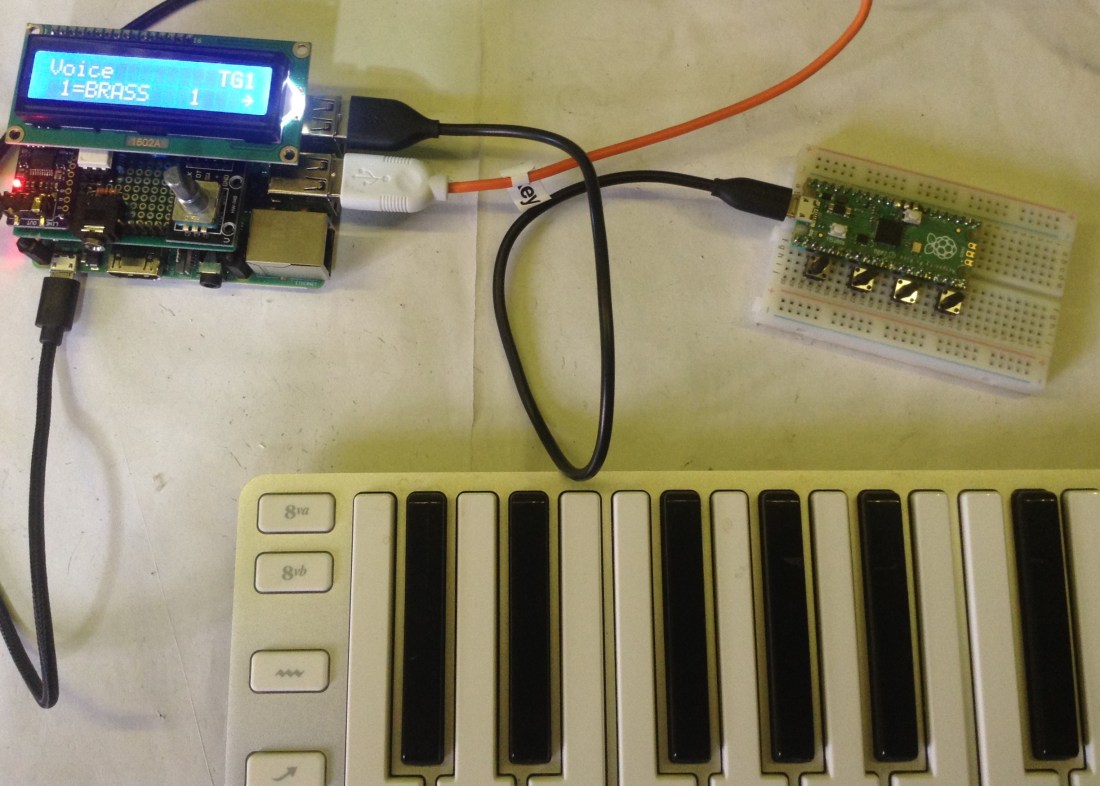
- MIDI device to control (I’m using my MiniDexed)
The Circuit
The real aim is to ultimately have something that would do the same as the “Preset” buttons on a real DX synth, but sending the appropriate commands to change “bank” over MIDI.
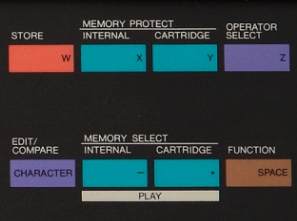
Of course, with a virtual synth there is the possibility of many more “banks” of voices to choose from, so something extendable would be useful.
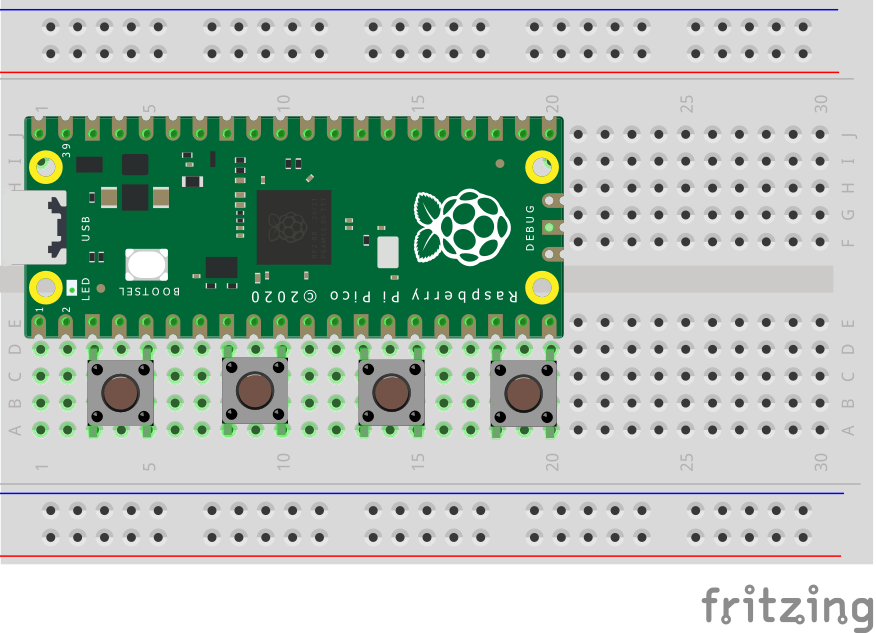
The basic circuit for use as a USB MIDI controller is shown above. With careful placing of the buttons they can all go between a GPIO pin and a GND pin.
If serial MIDI is wanted too, then we need to add in a MIDI OUT circuit as shown below. Note that the Pico has to be shuffled down a row of pins to allow for connections to 3V3. This means you will probably need to bend the pins on the switches slightly to get them to fit on the breadboard.

Note that I’ve cheated slightly and used the bottom “blue” rail on the breadboard as my link between the MIDI circuit and the TX pin (yellow wires).


The Code
The core principle is to send out a MIDI CC BANKSEL message when one of the buttons is pressed. There are three messages associated with changing voices in MIDI:
- MIDI CC Message 0: Bank Select (MSB)
- MIDI CC Message 32: Bank Select (LSB)
- MIDI Program Change Message
How they are acted on by the receiving device seems to be somewhat device specific. As I’m wanting to use this to drive my MiniDexed instance, I had to see what it was expecting. At present, it only acts on the “LSB” value and will only accept a maximum of 128 banks (0 to 127) mapping onto whatever rom sets are installed.
The basic algorithm is as follows:
IF a button is pressed THEN
   Send the MIDI CC MSB value for that button
   Send the MIDI CC LSB value for that button
   Send a MIDI Program Change 0
I do this for all buttons and send the messages out over both USB and serial MIDI. To prevent repeated sending of the messages, I look for a non-pressed to pressed transition. As the buttons link to GND they need to be set up in PULLUP mode, so I’m looking for a HIGH to LOW transition.
The placement of buttons as shown above uses the following GPIO pins: GP3, GP7, GP11, GP15. These are all defined in a list at the start.
Note: Raspberry Pi Pico CircuitPython and MiniDexed on a Raspberry Pi 4
“Out of the box”, there is an issue with the USB MIDI device presented by CircuitPython on the Pico and MiniDexed, but only when run on a Raspberry Pi V4. It seems fine on a V1 to V3 and it is all fine if using serial MIDI.
CircuitPython presents a number of different USB devices and one of them, the HID device (int3-0-0 in MiniDexed) seems to cause a problem on a RPi 4 running Circle. There are two ways to solve this problem:
On MiniDexed (and any Circle-based installation for that matter) you can tell the USB subsystem to ignore any devices presenting the int3-0-0 (USB HID Class device) inteface. To do this you need to add the following command to your cmdline.txt file on the SD card (if you don’t already have one, just create one with this line in it).
usbignore=int3-0-0
It is also possible to customise the USB devices that CircuitPython presents. You can read the full details here, but in essence what we need to do here is disable the HID device by creating a boot.py file that contains the following.
import usb_hid, usb_midi
usb_hid.disable()
usb_midi.enable()
This will disable the same interface at the Pico’s end.
If you want more context, There is some discussion about it here.
Closing Thoughts
My recollection of DX synths is always of a row of buttons for voice selection, so ultimately I’d really like to build a “voice selector” like that that could be used to choose banks and voices, possibly over USB so it is all nicely self-contained.
As MiniDexed can have up to 128 different banks, using more buttons is a natural extension too – maybe up to 8 or even 16. To go much higher I think would need a rotary encoder or potentiometer really.
I’d quite like to do a similar project with an ATmega32U4 based Arduino or one of the other Arduino and USB MIDI techniques.
Kevin

 Simple DIY Electronic Music Projects
Kevin,
Interesting build. I just finished a similar project controlling a vintage Roland JD-990 sound module for a bandmate. Since the keyboard was only used to generate MIDI note on, note off, sustain pedal and other performance msgs, my controller had to sit between the keyboard and the sound module. The keyboard itself only had MIDI out, so I couldn’t take advantage of using it’s MIDI thru. The controller had to poll 10 switches while also looking for incoming MIDI msgs. If a msg was seen, it would be passed on to the sound module. If a switch was pressed, a predetermined patch change msg was sent. I used DIY MIDI in and out circuitry with micropython to make this all work, driven by a Pi Pico. I signed up for this not realizing the scope of the project, as usually seems to be the case.
LikeLiked by 1 person
Sometimes the best motivator is not knowing in advance how tricky something might be 🙂
Sounds like you got there though. Do you have any photos or details? I’d like to see if you do!
LikeLike