Looking back at the Arduino MIDI Tone Module one of the key limitations was its inability to play more than one note at once. So why not string a few of them together to give you Arduino MIDI Tone polyphony!
- In Part 2 I commit this to stripboard.
Warning! I strongly recommend using an old or second hand keyboard for your MIDI experiments. I am not responsible for any damage to expensive instruments!
These are the key Arduino tutorials for the main concepts used in this project:
If you are new to Arduino, see the Getting Started pages.
Parts list
- Several Arduino Nanos or Arduino Unos
- 1x 8 ohm speaker (or old headphone speaker) per Arduino
- 1x 220 resistor per speaker
- MIDI receive module (see Arduino MIDI Interfaces)
- Breadboard and jumper wires
The Circuit

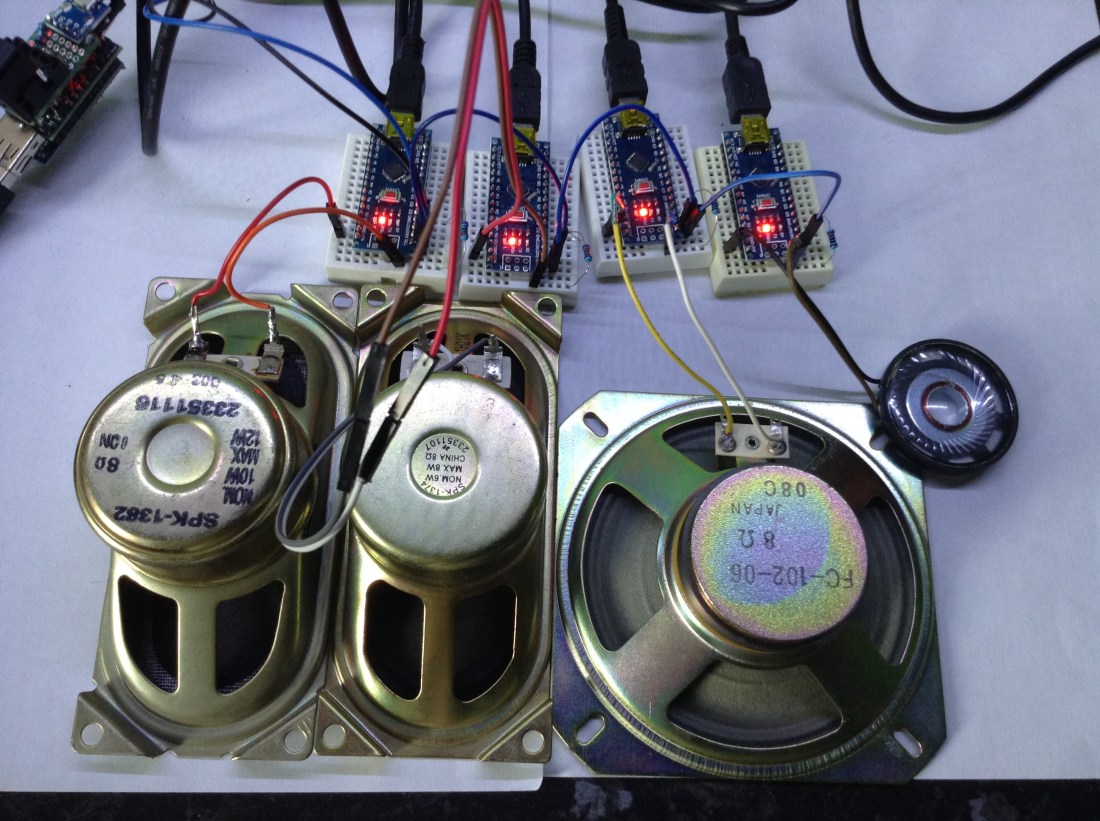
This the circuit for each Arduino. D2 is connected via a 220Ω resistor to the speaker. RX is connected to the previous Arduino’s TX, unless it is the first in the chain, in which case it connects to the MIDI In module. TX is connected to the next Arduino in the chain

Here is my first Arduino linked up to the TX and GND of my Mini USB-MIDI to MIDI module. I setup four as shown below.
The Code
The code is basically the code from the Arduino MIDI Tone Module but I’ve added some simple “pass it on” MIDI note functionality. The basic premise goes something like this:
Receive a MIDI Note On message
IF not already playing a note, play this note
ELSE pass it on to the next Arduino
There is a bit more nuance to it, but that is the basic idea. This creates some simple polyphony but has some limitations:
- Playing a chord may mean you get the notes on different speakers each time (you can hear this at the end of the video).
- This creates a “first in, last out” system – if there are already notes playing on all speakers, new notes are ignored. A better system might be to stop the oldest note and play the new one.
- The system only responds to noteOn and noteOff. All other MIDI messages are ignored.
But it has the advantage of simplicity. I did originally consider assigning each Arduino a different MIDI channel and treat them as a multi-MIDI-channel “sound bank”, but that would use up MIDI channels pretty quickly and would mean having different code on each Arduino.
The Arduino MIDI library enables MIDI Thru functionality by default, which means that anything received on the RX pin is automatically played out on the TX pin. In this case, I don’t want that. I want to only pass on certain messages, so right after the call to MIDI.begin() I disable MIDI Thur using MIDI.turnThruOff();
The only other thing I need to do is remember which note I’m playing so I can look for the appropriate noteOff event.
Closing Thoughts
As always, this is a bit fiddly having several breadboards linked with inflexible cables. This would be a good candidate for a simple home-made stripboard to house all Arduinos and connect to the speakers.
Kevin

 Simple DIY Electronic Music Projects