
I’ve done a number of MIDI processing projects, but was always planning to go back and build up some kind of catalogue of common actions that could be taken. But so far I’ve not done it, but when a question came in asking about the possibility of a MIDI transpose function, I thought I’d put a basic one together.
Warning! I strongly recommend using old or second hand equipment for your experiments. I am not responsible for any damage to expensive instruments!
These are the key Arduino tutorials for the main concepts used in this project:
If you are new to Arduino, see the Getting Started pages.
Parts list
- Arduino Uno
- MIDI Interface with IN and OUT (e.g. a Ready-Made MIDI Module)
- Breadboard and jumper wires
The Circuit
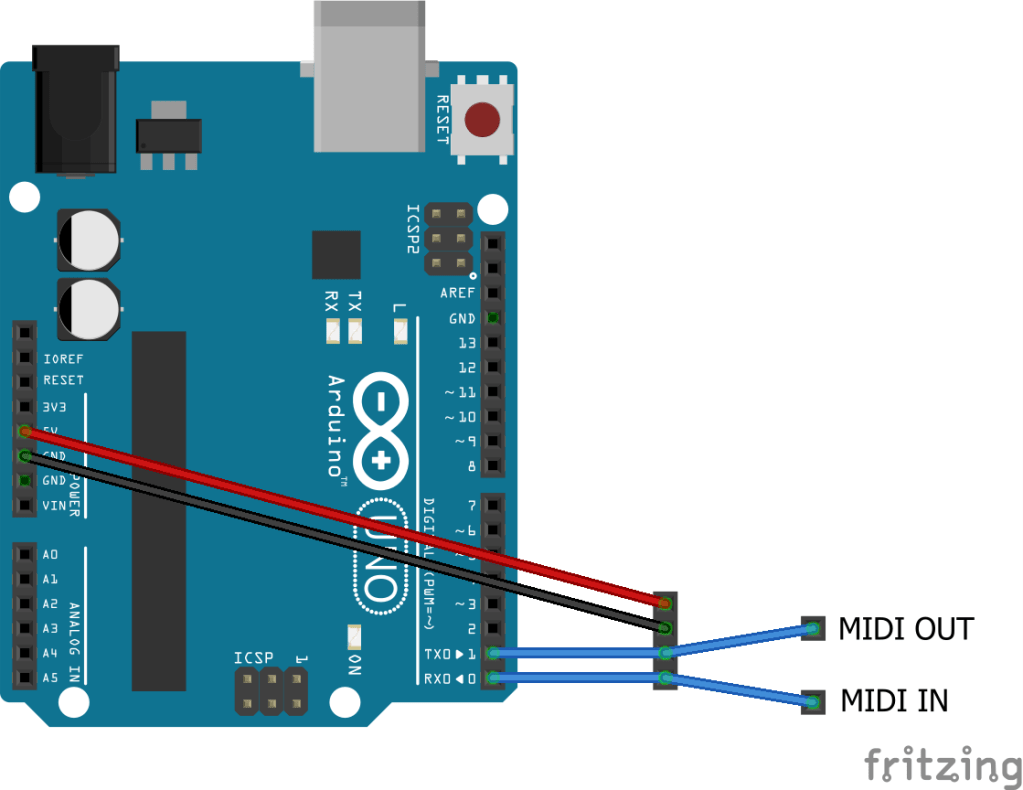
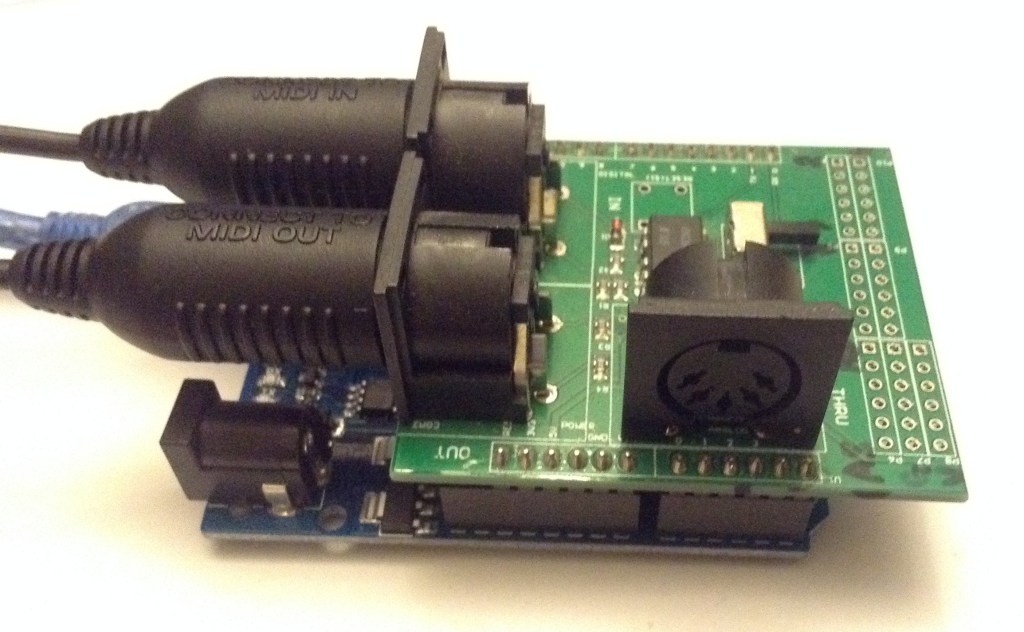
This requires a 5V compatible MIDI circuit connected to TX/RX of an Arduino. This could be one of the Ready-Made MIDI Modules or the DIY MIDI Interfaces.
I used the MIDI shield shown above.
The Code
The basic idea is to use the Arduino MIDI Library (which can be installed in the usual way using the Arduino Library Manager) to listen out for MIDI NoteOn and NoteOff events and then change the pitch by a defined amount.
There are a couple of things to watch out for:
- By default the MIDI library will enable automatic software MIDI THRU so this needs to be turned off.
- MIDI pitch notes go from 0 to 127 so if the pitch is to be adjusted, we need to make sure it doesn’t go out of bounds.
In the code, the amount to transpose is given at the top. It can be positive, which transposes up that number of semitones, or negative, in which case it goes down. In principle it could be any number between -127 and +128, but that would limit the range of notes let through enormously! I’d say up to around +/- 24 is probably the most useful.
It is also possible to specific a MIDI channel to listen on.
#define TRANSPOSE -12
#define MIDI_CHANNEL MIDI_CHANNEL_OMNI
Note that if this is set to a channel then anything on other channels is actually ignored, not passed through, but it wouldn’t be too difficult to include a MIDI channel filter to transpose just a single channel.
In fact, it is possible to include code from the Arduino MIDI Filter for more complex processing.
But for now the logic is kept simple:
loop():
  IF MIDI message received THEN:
    IF NoteOn or NoteOff THEN:
      Add TRANPOSE value to the pitch
      Send new MIDI message
    ELSE:
      Send MIDI message as is
Closing Thoughts
As I’ve mentioned before there are many possibilities for MIDI processing, but this is one straight forward application that shows the basic principles.
Further expansion could include:
- Adding two buttons for up/down adjustments. Probably most useful for small steps.
- Add a potentiometer for up/down adjustments. Probably more useful for larger amounts.
- Add a HEX switch or DIP switches to allow selection of MIDI channel.
- Use a microcontroller with USB MIDI and allow routing between USB and serial MIDI whilst processing.
Kevin

 Simple DIY Electronic Music Projects