Following on from my Arduino with Multiple Displays – Part 2, using a Waveshare Zero type module, I wanted to try even more displays in parallel. I don’t know what the performance implications will be, or even if it is possible, but I do know I don’t really want to be using jumper wires to try it out. This PCB will hopefully allow me to hook up at least four displays to a Waveshare Zero format board.

Warning! I strongly recommend using old or second hand equipment for your experiments. I am not responsible for any damage to expensive instruments!
If you are new to electronics and microcontrollers, see the Getting Started pages.
The Circuit
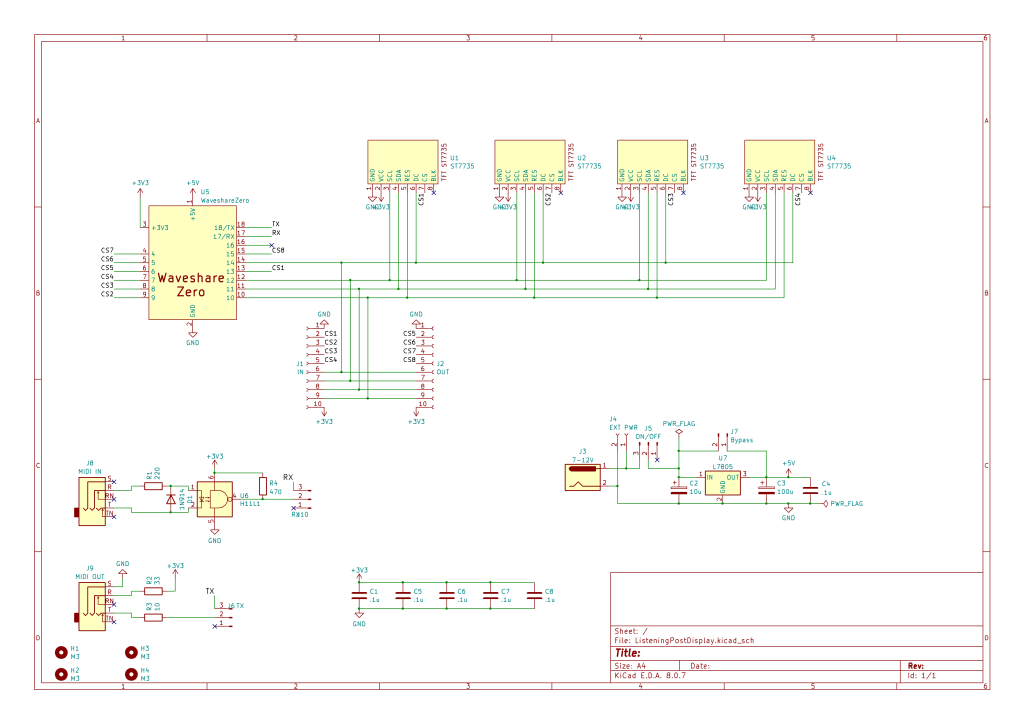
This is following pretty much directly on from Arduino with Multiple Displays – Part 2. One thing I wanted however was the possibility of connecting two panels together with a single microcontroller, so I’ve passed all control signals onto pin headers with the option for four more displays on a second PCB.
All displays share SCL, SDA, RES and DC. It is only the CSn pins that have to be independent, so I need to support up to 8 CSn lines. I’ve chosen the GPIO pins I have for the widest compatibility between the RP2040, ESP32-C3 and ESP32-S3.
CS8 on an ESP32-C3 might cause issues as it might clash with one of the USB signals, I’ll have to see. Worst case is that an ESP32-C3 can only support up to 7 displays. That is assuming the software performance is good enough for more than four in the first place of course.
I’ve included a MIDI IN/OUT circuit and 5V power regulator circuit as an option, but really I’m expecting it to be powered from the Waveshare Zero USB port.
PCB Design
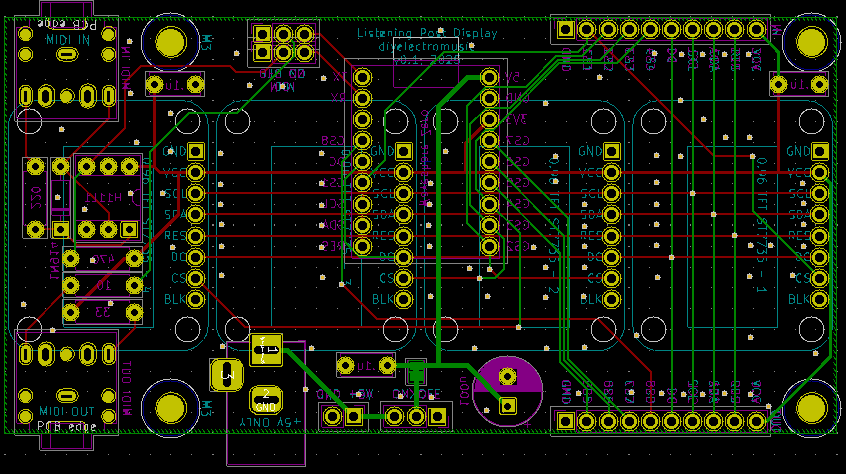
The displays are arranged on one side of the PCB and the Waveshare Zero and other components are on the underside.
I’ve opted not to include the regulator power circuitry in the final PCB, but I have included the barrel jack and jumpers to allow a +5V (only) supply as an option. To save changing the schematic, I replaced the regulator bypass jumper with a (closed) solder bridge.
I had to use a custom footprint for the displays, but it is loosely based on an Adafruit display component. I have two versions – one with mounting holes and one without. Even through the mounting holes are present in the “user drawings” layer, they are not actual holes on the PCB.
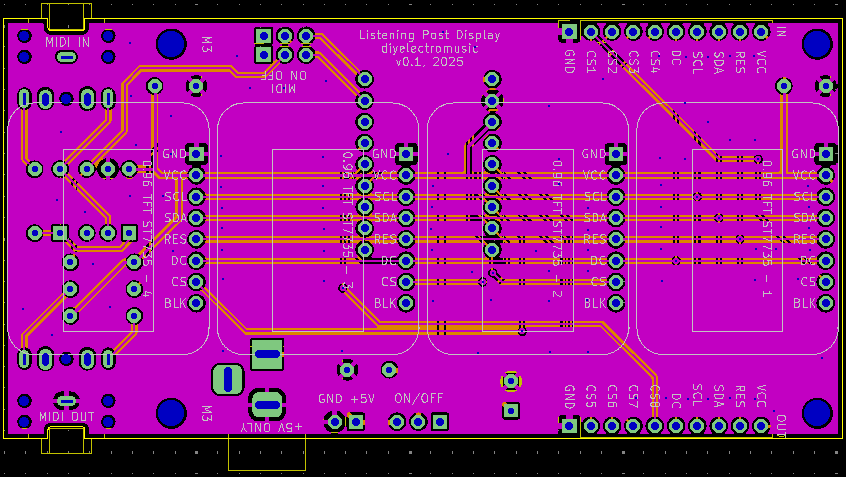
I’ve duplicated a number of the silkscreen labels on both sides of the board for easy reference.
Closing Thoughts
Four displays fit really neatly into a 100x50mm footprint making these boards pretty cheap to get manufactured.
Kevin

 Simple DIY Electronic Music Projects