This project uses the Mozzi library to add sine waves together in a simple form of additive synthesis. It uses the six potentiometers from the Arduino Multi-pot Mozzi FM Synthesis project.
Warning! I strongly recommend using an old or second hand keyboard for your MIDI experiments. I am not responsible for any damage to expensive instruments!
These are the key Arduino tutorials for the main concepts used in this project:
If you are new to Arduino, see the Getting Started pages.
Parts list
- Arduino Uno
- 1x 270Ω resistor
- 1x 100nF capacitor
- Stereo jack socket
- Up to 6x 10k potentiometers
- MIDI receive module (see: Arduino MIDI Interfaces)
- Breadboard and jumper wires or Stripboard
The Circuit
This uses the same circuit as the Arduino Multi-pot Mozzi FM Synthesis.
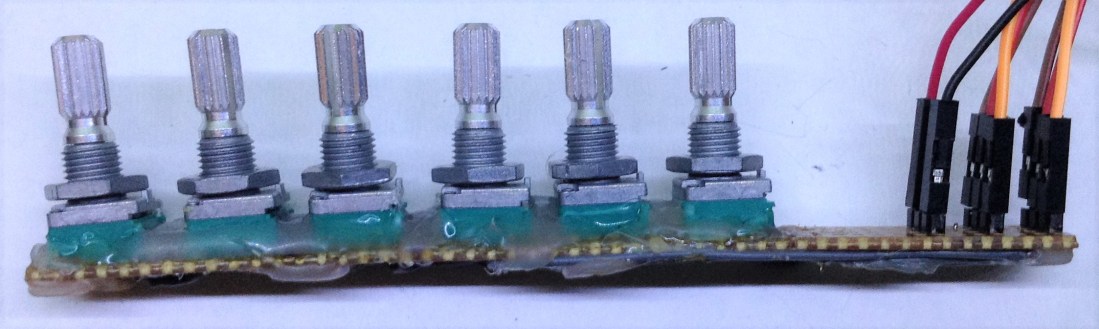
You may also notice from the video that I’m not using my nice Mozzi output board from the previous project. Something has gone wrong with it, so I need to look for shorts – it might just be a dodgy jack socket! For now, I’ve just sent pin 9 straight to a jack socket.
The Code
The basic idea behind this code is to create six sinewave oscillators, all multiples of a fundamental “carrier” oscillator that is determined by the MIDI note being played. The six oscillators are then combined (or “mixed”) using a “gain” control linked to a potentiometer. This way each potentiometer will control one oscillator. None of the oscillators modulate each other.
The first potentiometer is used to choose between different schemes of frequency ratios for the oscillators to create different effects when combined. For example, a scheme using integer multiples of the carrier frequency will tend towards a saw-tooth wave. A scheme using only odd integer multiples will tend towards a square wave.
This project has the following schemes available by default, but you can experiment with different numbers in the waves[][] structure near the top of the file.
int waves[NUMWAVES][HARMONICS] = {
{1, 2, 2, 3, 3},
{2, 3, 4, 5, 6},
{2, 3, 5, 7, 9},
{3, 5, 7, 9, 11},
{2, 4, 6, 8, 10},
{2, 4, 8, 16, 32}
};
This code also has slightly better MIDI note on/off handling compare to previous projects (in fact I added this code to the multi-pot synth too). Whenever a note on is received it will now automatically stop any playing envelope before starting the next note. When receiving a note off it will only react to it if it is still playing the note on that it corresponds to.
What I was finding is that if I happened to play two notes overlapping, then the note off from the first note would arrive immediately after the note on from the second note killing it prematurely. It is now much smoother at handling note changes.
With so many oscillators all with a gain control I managed to reach the limit of the updateAudio function – I was getting regular “clicks” due to some stuttering of the audio. Initially I had hoped for a carrier plus six harmonics controlled by the six pots, but that was too many to calculate. Five harmonics – making six waves to combine in total appears to be the limit on the Arduino Uno.
I also had to be really careful about scaling to avoid clipping. Each sine wave can be multiplied by a gain of 0 to 255 so will be 256 times too large. Then they get added together so the final result is 6*256 too large. Then an envelope is applied that results in another multiplication of between 0 and 255 making it all 256*6*256 too large! However if I applied a fixed scaling factor to bring it back into a sensible range, then the signal is very quiet if only one of the oscillators is actually active.
Consequently, I decided to work out a “gain scaling factor” by doing the following:
Add up all the gains
Set the scaling factor to 0
WHILE the total gain is > 255 THEN
   increase the scaling factor by one
   divide the total gain by two (i.e. shift >> 1)
Once this is complete I end up with a scaling factor that is the number of bitshifts to perform to bring the total back into range. This varies between 8 (if only one oscillator is playing) to 11 (if all six are active). In order to reduce the amount of time spent in the updateAudio function, all the above is pre-calculated in the updateControl function.
Note this doesn’t allow for an envelope calculation – I still do that in updateAudio and then shift (again) >> 8 as in previous examples.
From messing about and trial and error, I can give some hints at fault finding if you are getting weird sounds or behaviours.
- If you can’t hear anything at all maybe your gain factors are all set to zero? At one point I forget to add some gain to the carrier frequency, so when everything was turned down there were no oscillators sounding at all!
- If everything is really quiet, maybe the scaling factors are too large.
- If everything sounds really harsh then there is probably a calculation overflowing somewhere. This might mean that the scaling factors are too small or it might be that your calculations are using data types that are too small (e.g. you are overflowing the size of an “int” so need to use a “long”) or it might mean that you are scaling your calculations too early so are losing resolution and accuracy in your calculations.
- If you are hearing regular clicks or stuttered audio then maybe there is too much going on in updateAudio. If you are using data types that are larger than you require (e.g. using “long” everywhere when you don’t need to) calculations will be slower. Same if you are doing repeated calculations that could be pre-calculated elsewhere.
- If you are hearing nothing at all check your MIDI! LED 13 will flash when it thinks it is playing a note and RX will flash when it is actually receiving MIDI data.
Closing Thoughts
Mozzi is a lot of fun to play with but quite complex to use. I’m starting to feel like I understand it a bit more now, but there are still many features that could be explored further. I’ve not even started on other forms of synthesis, audio filters or any kind of audio input so far.
I’ve also still yet to produce anything that can do any kind of simple polyphony which would be really interesting to do… but I might need an approach more like the Arduino Multi MIDI Tone Module – Part 2.
Something else that might be interesting to try would be to have the module respond to MIDI control messages rather than individual potentiometers to set the synthesis parameters.
Kevin

 Simple DIY Electronic Music Projects